Gree Remote Control Manual: A Comprehensive Guide
Gree air conditioner remote mastery unlocks comfort; this guide details functions, buttons, and troubleshooting for most models, referencing model-specific manuals.

Gree remote controls are the primary interface for operating your air conditioning system, offering convenient command over temperature, fan speed, and various modes. Understanding your remote is key to maximizing comfort and efficiency. These remotes are designed for ease of use, featuring clearly labeled buttons for common functions like power, mode selection, and temperature adjustment.
However, Gree offers a diverse range of remote models, each potentially with unique features. This guide aims to provide a comprehensive overview applicable to most Gree units, but always consult your specific model’s manual for detailed instructions. Proper remote operation ensures optimal performance and extends the lifespan of your air conditioner.
Understanding Your Gree Remote: General Functions

Gree remotes generally share core functionalities across models. These include power on/off, mode selection (Cool, Heat, Fan, Auto), and precise temperature control using up/down buttons; Many remotes display the set temperature and operating mode clearly on the screen. Beyond these basics, you’ll find controls for fan speed, swing direction (left/right, up/down), and convenient features like sleep timers.
It’s important to note that some functions may vary depending on your specific unit. Always check for obstructions between the remote and the indoor unit for reliable communication. Familiarizing yourself with these general functions will greatly enhance your user experience.
Remote Control Button Overview
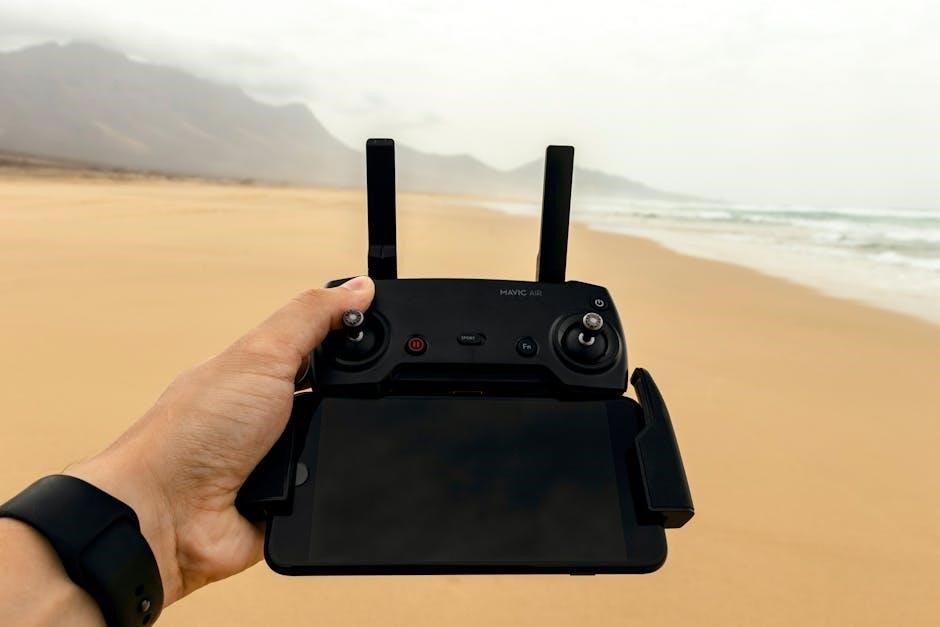
Gree remote controllers feature a variety of buttons for comprehensive control. Key buttons include Power, Mode (Cool, Heat, Fan, Auto), Temperature Up/Down, and Fan Speed. Swing controls adjust airflow direction, while Sleep and Timer settings offer convenience. Additional buttons may activate Turbo mode, the “I Feel” function, or a Child Lock.

Some remotes also include buttons for specific features like Quiet mode, Healthy mode, or X-FAN function. Remember that not all models support every function; the unit will maintain its original status if a non-supported button is pressed.
Power Button and Basic Operation
The Gree remote’s Power button initiates the air conditioning unit’s operation. A single press typically turns the unit on or off. Ensure a clear line of sight between the remote and the indoor unit for reliable communication. Basic operation involves selecting a desired mode – Cool, Heat, Fan, or Auto – and setting a comfortable temperature.
Confirm the unit responds to the remote’s signals. Obstructions can interfere with the infrared signal. Regularly check the batteries to ensure optimal performance and responsiveness of the remote control.
Mode Selection (Cool, Heat, Fan, Auto)
Gree remotes offer versatile mode selection for personalized comfort. “Cool” mode lowers the room temperature, while “Heat” mode raises it. “Fan” mode circulates air without temperature adjustment, and “Auto” mode intelligently selects between cooling and heating based on the set temperature and ambient conditions.
Switching between modes is straightforward using dedicated buttons on the remote. Some models display the selected mode on the remote’s screen or the indoor unit’s display. Understanding each mode’s function optimizes energy efficiency and ensures desired climate control.
Temperature Adjustment (Up/Down)
Gree remote controls feature intuitive temperature adjustment buttons, typically marked with “Up” and “Down” arrows. Pressing these buttons modifies the desired room temperature in increments, usually one degree Celsius or Fahrenheit. The current set temperature is displayed on the remote’s screen and the indoor unit.
Users can precisely tailor the climate to their preference. Some models allow direct temperature input, while others require incremental adjustments. Remember to consider energy efficiency when setting the temperature; moderate adjustments can significantly reduce energy consumption.
Specific Gree Remote Functions
Gree remotes offer a range of specialized functions beyond basic operation. These include precise fan speed control, allowing users to select from multiple levels for customized airflow. Swing control (left/right, up/down) directs air precisely where needed.
Sleep mode gradually adjusts temperature for comfortable nighttime cooling or heating, while timer settings enable automated operation. Additional features like “I Feel” and X-FAN functions enhance user experience and unit performance, optimizing comfort and efficiency.
Fan Speed Control
Gree remote controls provide multiple fan speed options, typically ranging from low to high, and sometimes including an automatic setting. Adjusting the fan speed impacts both air circulation and energy consumption. Lower speeds are quieter and use less power, ideal for gentle cooling or heating.
Higher speeds deliver stronger airflow for quicker temperature adjustments. The ‘Auto’ setting intelligently adjusts fan speed based on the temperature difference between the setpoint and the room temperature, optimizing both comfort and efficiency. Experiment to find the ideal setting for your needs.
Swing Control (Left/Right, Up/Down)
Gree remotes feature swing control, allowing you to direct airflow for optimal comfort. The ‘Left & Right Swing’ button adjusts the horizontal louvers, distributing air across a wider area. Similarly, ‘Up & Down Swing’ controls the vertical louvers, directing airflow upwards or downwards.
Some models offer independent control, while others have a combined swing function. Setting the swing to automatic allows the unit to continuously adjust the louvers for even distribution. Manually setting a fixed position concentrates airflow in a specific direction, useful for targeted cooling or heating.
Sleep Mode and Timer Settings
Gree remotes offer ‘Sleep Mode’ for comfortable overnight operation, gradually adjusting temperature to prevent discomfort. Timer settings allow for automated control, enabling you to schedule the unit to turn on or off at specific times. ‘T-ON / T-OFF’ buttons are commonly used for setting these timers.
These features promote energy efficiency and convenience. You can set a timer to cool the room before you arrive or turn off the unit after you’ve fallen asleep. Consult your specific model’s manual for detailed timer programming instructions.
Advanced Features on Gree Remotes
Gree remotes often include advanced features like ‘Turbo Mode’ for rapid cooling or heating, and the ‘I Feel’ function, which adjusts temperature based on the remote’s location. ‘Child Lock’ prevents unintended operation, enhancing safety. Additional modes like ‘Quiet’ and ‘Healthy’ prioritize comfort and air quality.
Features like ‘X-FAN’ help prevent mold growth by continuing fan operation after cooling. These functionalities vary by model, so always refer to your specific unit’s manual for detailed instructions and availability.
Turbo Mode Operation
Turbo Mode on your Gree remote delivers the fastest possible cooling or heating by maximizing fan speed and compressor output. Activation typically involves pressing a dedicated ‘Turbo’ button on the remote control. This mode is ideal for quickly achieving a desired temperature in a room.
However, Turbo Mode often operates at a higher energy consumption level and may produce increased noise. It’s generally recommended for short-term use, and the unit will often revert to a standard setting after a set period.
“I Feel” Function Explained
The “I Feel” function, available on select Gree models, enhances comfort by sensing the temperature where you are in the room, rather than near the air conditioning unit itself. This is achieved through a temperature sensor built into the remote control.
When activated, the unit adjusts its output based on the remote’s sensor readings, providing more personalized climate control. Ensure the remote isn’t exposed to direct sunlight or heat sources for accurate readings. This feature optimizes temperature regulation for a truly comfortable experience.
Child Lock Activation and Deactivation
The Child Lock feature prevents unintended operation of your Gree air conditioner by little ones. To activate, typically press and hold the Fan and Down temperature buttons simultaneously for several seconds; a child lock indicator will appear on the display.
Deactivation follows the same process – press and hold Fan and Down again. This prevents changes to settings like temperature or mode. Refer to your specific model’s manual for precise instructions, as activation methods can vary slightly between different Gree remote control models.
Troubleshooting Common Remote Issues
If your Gree remote isn’t responding, first check the batteries, ensuring correct polarity. Obstructions between the remote and the indoor unit can also cause issues; clear the path. An incorrect temperature display might indicate a sensor problem, requiring professional service.
Communication failures between the remote and unit could stem from interference or a faulty remote. Try resetting the unit or replacing the remote. Always consult your model’s manual for specific troubleshooting steps before contacting support.
Remote Not Responding
A non-responsive Gree remote often indicates a simple fix. Begin by verifying the batteries are fresh and correctly installed, paying close attention to polarity. Ensure there are no obstructions – furniture, decorations – blocking the signal path between the remote and the indoor air conditioning unit.
Try pointing the remote directly at the unit’s receiver; If the issue persists, attempt resetting the air conditioner. A faulty remote may require replacement with a genuine Gree part.
Incorrect Temperature Display
An inaccurate temperature reading on your Gree remote can stem from several causes. First, confirm the remote is set to display temperature in your preferred unit – Celsius or Fahrenheit. Ensure the “I Feel” function isn’t activated, as this uses a sensor within the remote, potentially differing from room temperature.
If the discrepancy continues, try resetting the air conditioner. A malfunctioning temperature sensor within the unit itself might necessitate professional service. Always consult your specific model’s manual.
Communication Issues Between Remote and Unit
If your Gree remote isn’t communicating with the indoor unit, begin by checking the batteries, ensuring they are fresh and correctly installed. Obstructions between the remote and the AC unit’s receiver can also interfere with the signal; remove any barriers. The data wire communication utilizes 1200 baud serial, potentially affected by interference.

Verify the unit is receiving power. If issues persist, a problem with the infrared sensor on either the remote or the AC unit may require professional diagnosis and repair.
Gree Remote Control Model Numbers & Compatibility
Identifying your Gree remote’s model number is crucial for finding a compatible replacement. Look for a label on the back of the remote; the genuine Gree replacement part number is often 30510137. This remote works with various Gree indoor units – consult compatibility tables to confirm.
Beware of aftermarket or universal remotes, as they may not support all functions. Using a genuine Gree remote ensures full functionality and seamless integration with your air conditioning system, maximizing its performance and features.
Identifying Your Gree Remote Model
Locating your Gree remote control’s model number is the first step towards finding a suitable replacement or accessing specific documentation. Typically, you’ll find this information printed on a label affixed to the back of the remote itself. Carefully inspect the remote casing for a series of numbers and letters – this is your model identifier.
Knowing this number allows you to verify compatibility with replacement remotes and access detailed guides tailored to your specific Gree unit, ensuring optimal functionality and control over your air conditioning system.

Genuine Gree Remote Part Number: 30510137
Gree’s genuine replacement remote controller, bearing part number 30510137, guarantees seamless compatibility with a range of Gree indoor units. This original part ensures all functions operate as intended, avoiding the potential issues associated with universal remotes or aftermarket alternatives.
Beware of cheaper, non-genuine versions, as they may lack full functionality or exhibit unreliable performance. Utilizing the correct part number ensures a direct replacement, maintaining the integrity and control of your Gree air conditioning system. Verify compatibility with your specific unit before purchasing.
Technical Aspects of Gree Remote Communication
Gree mini-split systems, like the GWH09YD-S6DBA1, utilize a sophisticated communication protocol between indoor and outdoor units. This communication occurs via a dedicated data wire, referenced to the AC neutral. Analysis reveals a 1200 baud serial connection, configured with 8 data bits, 1 stop bit, and even parity for reliable data transfer.
Notably, Gree employs a unique signaling method, using 30V as a reference point, fluctuating between 0V and 60V. Converting this signal for microcontroller compatibility requires careful consideration of voltage level shifting and signal conditioning.
Data Communication Protocol (1200 Baud Serial)
The communication between Gree indoor and outdoor units relies on a 1200 baud serial protocol, a standard for transmitting data. This setup incorporates specific parameters for reliable exchange: 8 data bits define each character, 1 stop bit signals the end of transmission, and even parity ensures data integrity by adding an error-checking bit.
This serial communication method allows the remote control signals to be efficiently transmitted to the air conditioning system, enabling control of functions like temperature, fan speed, and mode selection. Understanding these parameters is crucial for interfacing with the system.
Voltage Signaling (30V/60V Reference)
Interestingly, Gree utilizes a unique voltage signaling system alongside the 1200 baud serial data. Instead of standard logic levels, communication employs two voltage references: 30V and 60V. One data packet is referenced to 0V and 30V, while the other utilizes 0V and 60V, creating a differential signaling approach.
Converting this signal for microcontroller use requires careful consideration. A circuit capable of accurately reading these voltage levels and translating them into digital signals is essential for successful communication and control of the Gree unit.

Replacing a Lost or Damaged Gree Remote
Losing or damaging your Gree remote doesn’t mean losing control of your comfort. Several options exist for replacement. You can seek a compatible replacement, ensuring it supports your specific Gree indoor unit model. However, beware of inexpensive aftermarket versions; genuine Gree remotes (like part number 30510137) offer guaranteed compatibility.
Alternatively, universal remotes can be programmed to work with Gree air conditioners, but may lack some advanced features. Prioritize a genuine Gree remote for optimal functionality.

Finding a Compatible Replacement
Locating a compatible replacement Gree remote begins with identifying your indoor unit’s model number. Genuine Gree replacement remotes, such as part number 30510137, are designed to work seamlessly with specific units. Online retailers and appliance parts suppliers are good starting points for your search. Ensure the replacement explicitly lists compatibility with your Gree model.
Carefully review product descriptions and customer reviews to confirm functionality before purchasing. A direct replacement guarantees all features will operate as intended.
Universal Remotes vs. Genuine Gree Remotes
While universal remotes offer convenience for controlling multiple devices, genuine Gree remotes provide optimal functionality and compatibility. Universal remotes may require complex programming and might not support all advanced features specific to your Gree air conditioner, like the “I Feel” function or specific swing modes.
Genuine Gree replacements, like part number 30510137, guarantee full feature access and reliable operation. Beware of cheap aftermarket versions; prioritize a genuine Gree remote for the best user experience.